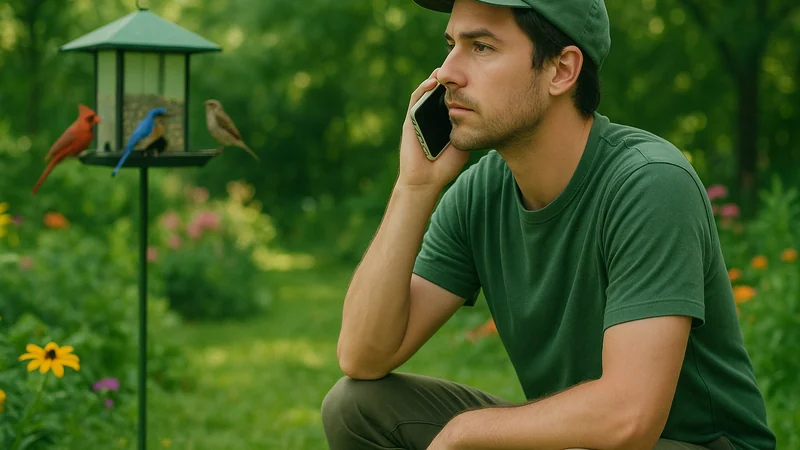
To record bird sounds on iPhone, open Voice Memos, tap the red circle, and point the phone's bottom edge toward the bird. That is the entire baseline method. No parabolic dish, no shotgun mic, no external preamp. The built-in bottom microphone on a modern iPhone can usually capture a clean enough clip to identify many singing birds in a backyard, park, or trailhead, provided you make a few small decisions before you press record. A short clip of roughly ten seconds, taken from within earshot of a clearly audible bird, is often all a sound-recognition app needs to lock onto a species.
This guide walks through those decisions in the order they actually come up in the field, so the next time a bird starts singing behind you, you already know what to do.
Field method
The first decision to make
Before you open any app, decide whether you are recording to identify the bird right now, or recording to keep a clean archive of the song. The answer changes everything that follows.
If the goal is identification, speed matters more than fidelity. A short clip captured through Voice Memos, or straight into a sound-recognition app, is usually enough for the software to lock onto a pattern. If the goal is a keepsake or a shareable clip, you will want a quieter background, a steadier hand, and a longer take, even at the cost of missing the bird entirely.
Most beginners assume they need the second thing. In practice, most of the time they want the first. The bird is calling now, the light is going, and the question is simply: who is that? Answer the identification question first, then decide whether the moment is worth a second, more careful take.
Decision path
A simple decision path
Here is the compact workflow that covers almost every situation an iPhone birder walks into. Read it as a decision tree, not a checklist, and stop at the first line that fits.
- Is the bird singing right now? Pull out the phone, unlock it, and open your recording tool of choice. Do not wait for a better angle. The song may not repeat.
- Where is the sound coming from? Turn so the bottom edge of the iPhone points toward the bird. The bottom edge tends to pick up sound well when you aim it toward the source. The screen does not need to face the bird.
- Is there wind or road noise? Cup your free hand loosely around the bottom of the phone as a windbreak, without covering the mic hole. Step behind a tree, wall, or your own body to block the loudest noise source.
- How long should you record? Long enough to catch the phrase two or three times. For a repeating song that is often ten to twenty seconds. For a single call note, keep recording for a minute and let the bird repeat naturally.
- Did you catch it clearly? Play the clip back at full volume before you move. If you can hear the bird above the background, the software has a fair chance too. If not, try again from a closer or quieter position.
That is the whole method. The sections below cover the moments where one of these steps needs adjustment and the small habits that keep the clip usable.
Field signals
Signals that change the answer
The default workflow assumes a cooperative bird in reasonable weather. Real mornings are messier. A few common signals should push you off the default path, and the adjustments below are the ones that most often turn a noisy take into a usable clip.
Wind above a light breeze
Wind hitting a bare microphone produces a low rumble that swamps most bird frequencies and confuses recognition algorithms. If leaves are moving visibly, step into shelter before recording. A hedge, a car, a doorway, or even your own torso works. Loosely cupping a hand around the bottom of the phone adds a surprising amount of protection, as long as the palm does not seal against the microphone hole. If you are recording common visitors around the house, a quick tour of the calls backyard birders search for most is a good way to build an ear for who you are likely to hear before you head out.
A distant bird high in a tree
The iPhone microphone has no zoom. Distance is the single biggest reason a recording fails to identify. As a rough rule of thumb, if the bird is far enough that it barely registers over traffic, water, or wind, the clip will likely be dominated by ambient noise. Walk closer, quietly, before recording. If you cannot get closer, record anyway, but expect the app to offer several possible matches rather than one confident answer.
A dawn chorus with many species at once
The default recording captures everything within range. In a busy chorus, that is a feature for total species counts and a problem for identifying one particular bird. If you want a specific singer, wait for a pause, then record the next phrase in isolation. If you want the whole soundscape, record for a full minute and let a recognition tool sort through the layers.
A call note rather than a song
Chip notes, contact calls, and alarm calls are shorter and less patterned than songs, which makes them harder for both people and software. Record longer than you think you need to, ideally through several repetitions, and note visual details at the same time: size, behavior, habitat. A short call combined with a written note about a small brown bird low in brambles is often enough to reach a confident identification even when the clip alone is not.
Situation and adjustment at a glance
| Situation | What to adjust | Clip length to aim for |
|---|---|---|
| Cooperative songbird, calm morning | Point bottom edge, stay silent | 10 to 20 seconds |
| Windy or gusty | Step into shelter, cup hand loosely around mic | 15 to 30 seconds |
| Distant bird, ambient noise | Walk closer before recording | 20 to 30 seconds |
| Dawn chorus, many species | Wait for a pause, isolate one phrase | Up to 1 minute |
| Chip or call note | Record through several repetitions, add written notes | 30 to 60 seconds |
Mistake clinic
A mistake worth avoiding
The most common mistake is not technical. It is talking. The instinct when you hear a great song is to whisper to whoever you are with, or to narrate the moment into the recording. The phone captures your voice at close range far louder than a bird a short distance away, and recognition software will happily match the loudest sound in the clip, which is you.
The fix is small and specific: press record, then stay silent until the clip ends. Save any commentary for a second, separate recording afterward, where you can note the location, weather, and what you saw. Treat the bird clip as the primary source, and your notes as metadata attached to it.
Talking over the take
Even a quiet whisper next to the mic outweighs the bird in the mix. If you need to point something out, use gestures until the recording stops. Your future self trying to identify the clip will thank you.
Holding the phone flat with the screen up
Screen-up on a flat palm points the bottom microphone at the ground rather than the bird. Rotate the phone so its bottom edge aims toward where the sound is coming from, even if that means holding it at an unfamiliar angle. Sight down the edge the way you would aim a small flashlight.
Trimming the clip before you identify it
The silences and repetitions in a recording are information. A recognition tool uses the phrase structure, gaps, and repeated motifs to narrow the match. Let the software see the whole take, then trim later if you want to share it. Editing first can strip out the exact seconds the app needed.
Heading out with Low Power Mode on
Voice Memos should still record while Low Power Mode is on, but some always-listening or background audio features can behave differently, so consider turning it off before a long outing where you plan to rely on live recognition.
Where the app fits
Where Bird Call Identifier is genuinely useful
Everything above is tool-agnostic craft: aim, quiet, patience, distance. Recording the clip is only half the problem. The harder half is turning that clip into a species name while the bird is still on your mind, and that is where Bird Call Identifier fits into the workflow rather than replacing your existing habits.
Voice Memos is fine for capturing sound. It cannot tell you what you recorded. Bird Call Identifier closes that gap in three specific moments.
- When a bird is calling right now, recording inside the app keeps capture and identification in one place, so you do not have to export the clip from Voice Memos first.
- When you already have a Voice Memo from earlier that morning, you can run the existing clip through the app without transcribing your field notes by hand.
- When you suspect what the bird is, a second opinion from the app is a useful check before you write the sighting down as confirmed.
It is less useful, honestly, in a few situations. A recording dominated by wind or traffic is hard for any tool to parse, and no app can invent detail the microphone did not capture. A very distant bird, a very brief call, or a chorus of overlapping species may produce several candidates rather than one clean answer. In those cases, treat the app's suggestions as a shortlist to compare against what you saw, not a verdict.
For a closer look at what the app actually listens for inside a clip, that walkthrough is a useful companion to this guide.
In the field
Putting the method into practice
The next time a bird catches your ear, the sequence is short enough to run without thinking. Pull the phone from your pocket. Open your recording tool. Point the bottom edge toward the sound. Stay silent for ten to twenty seconds. Play it back before you move.
If the clip is clean and you want an identification on the spot, open Bird Call Identifier and tap record so the match happens in the same place as the capture. If the clip is noisy, try once more from a closer or more sheltered position. If the bird has gone quiet, save the clip anyway, add a short spoken note about location and habitat, and revisit it later. Some of the most satisfying identifications happen at the kitchen table, not on the trail.
You do not need a shotgun mic to start recording birds. You need a phone you already own, a habit of aiming the right edge of it, and the discipline to stay quiet for twenty seconds at a time. Everything after that is practice.
On the next clear call, record a short sample, listen back once, and save the clip with a note about where you heard it. That is enough to start a record you can actually learn from.