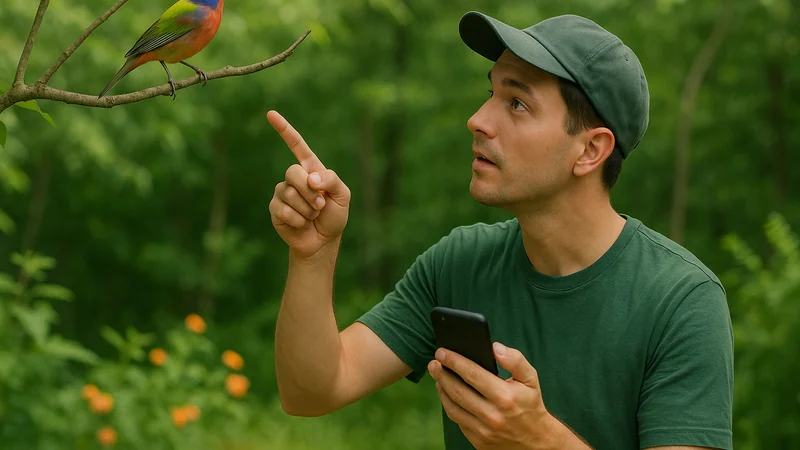
If you only have room for a few birding apps, choose them the way you'd choose field gear: by the moment they help you in. The best birding apps are the ones that answer the question you actually have outside, whether that's a call in the canopy, a silhouette on a wire, or a note for the sightings list you're slowly building. This shortlist starts with the criteria that separate a useful app from a cluttered one, then names the tools worth keeping and the situations each one fits. Accuracy across these apps has not been independently benchmarked here; picks reflect workflow fit and the clue you have in the moment, not head-to-head performance scores.
What to look for
The criteria that matter in real use
Most birding apps look similar on a listing page. In the field, small differences decide whether you get an answer before the bird flies off.
- Input match. Can the app take the clue you actually have? A call in the trees needs sound ID. A silhouette on a fence needs photo or description ID. A rare visitor at the feeder needs a searchable field guide.
- Speed to a shortlist. A birding app earns its icon by giving you a small, honest set of likely species quickly, then letting you decide. A tool that dumps twenty guesses is not a shortcut.
- Context awareness. Location and season matter. Apps that consider where you are and what time of year it is tend to narrow choices in a way that feels intuitive rather than random.
- Note-keeping that survives the walk. The better birding apps let you save a sighting in one tap: the species, the time, the place, and ideally the recording or photo you used to identify it.
- A field guide you'll actually read. Photos, range notes, a plain-language description, and family grouping. If the guide feels like a database, you'll stop opening it.
- Respect for your attention. No feed to scroll, no gamified nudges pulling you back inside when a Carolina wren is calling twenty feet away.
The shortlist
Four apps worth the space
A short, honest set is more useful than a top-twenty. Each of these covers a different job, and the picks reflect workflow fit rather than a measured accuracy test.
Bird Call Identifier (sound ID)
A focused iPhone app designed for the most common outdoor moment: you can hear the bird but can't see it. Record the call, review a species suggestion with a photo and short description, and keep the sighting alongside the clip that led you there. Photo and written-description lookups are offered for when the clue changes.
- Best for: a caller you can hear but can't spot in backyards, parks, and trails.
- Platform: iPhone.
Merlin Bird ID (all-purpose ID)
A widely used identification app associated with the Cornell Lab, offering sound, photo, and step-by-step description tools. A reasonable second opinion when a call is ambiguous or the bird is a rarity.
- Best for: cross-checking IDs and browsing regional bird packs.
- Platform: generally available on major mobile platforms; check its current store listing for details.
eBird (sightings log)
Not an identification app in the same sense, but a widely used tool for logging structured checklists and finding recent sightings near you. Pair it with an ID app rather than expecting it to name birds for you.
- Best for: keeping a real life list and scouting nearby hotspots.
- Platform: generally available on major mobile platforms.
A dedicated field guide app
Publishers such as Sibley and Audubon offer field guide apps that behave like the reference book on your shelf. Feature sets vary by publisher, so check the current store listing for what each one includes, but they are useful when you want to read about a species after you've named it.
- Best for: studying a species in depth or preparing for a trip.
- Platform: generally available on major mobile platforms.
Which one, when
A scenario-by-scenario comparison
The right tool depends less on features and more on the clue in front of you.
| Situation | Best-for pick | Why it fits |
|---|---|---|
| Hidden singer in the canopy | A dedicated sound ID app | Sound is the only clue you have; recording is faster than searching |
| Backyard visitor at the feeder | Photo ID in any capable app | You have seconds of a clear view; a photo narrows it quickly |
| Rare or unexpected bird | Two apps side by side | Cross-checking reduces the chance of a confident wrong ID |
| Trip planning to a new region | eBird plus a field guide app | Scout recent sightings, then study the species you're likely to meet |
| Learning bird families | A field guide app | Illustrations and family groupings teach the shape of the group |
| Keeping a life list | eBird | Structured checklists that hold up over years |
These picks compare verified workflows and input types, not independently measured accuracy. Most days you'll use one app, occasionally two. The value of a shortlist is knowing which one to open first without thinking about it.
Sound ID in practice
How Bird Call Identifier handles the core job
Sound is the clue you have most often on a walk, and it's the one that vanishes fastest. Bird Call Identifier is built for that specific moment: you record a short clip, the app is designed to suggest a likely species with a photo and short description, and if it fits, the app lets you save the sighting alongside the recording that led you there.
Photo and description-based lookups are offered for when the clue changes: a bird that finally lands in view, or one you can describe by size, color, and behavior but never heard. Treat any sound-ID result as a strong suggestion rather than proof. Similar species overlap, background noise can pull a match toward the wrong bird, and a distant recording gives the model less to work with than a clear one. When a suggestion doesn't feel right, record again from a slightly different angle or try another input. If you're often getting inconclusive results, this walkthrough for when a bird ID app can't place the sound covers the small habits that fix most of it.
Mistake clinic
Avoid these buying mistakes
A few patterns lead to a home screen full of birding apps you never open.
- Downloading everything at once. Five ID apps is not five times more accurate. Start with one that matches your most common clue and add a second only when you notice a real gap.
- Confusing a checklist app with an ID app. A sightings tracker is not there to name birds; an ID app is not there to organize your life list. Pair them intentionally.
- Judging by first impressions. An app that guesses a common backyard bird on day one can still be the wrong choice for warblers in migration. Try it across at least a few outings before deciding.
- Treating a single suggestion as the final word. Any responsible ID tool offers a best guess, not a verdict. Read the description, check the range, and trust your ears and eyes.
- Ignoring how it feels to use. If an app is cluttered, slow, or nags you with notifications, you will quietly stop opening it. That's a real cost, not a minor one.
Your next step
Match the tool to the moment
The shortlist is small on purpose. Pick by the clue you have most often.
If most of your birding happens by ear, on a porch, a trail, or a walk to the bus stop, a dedicated sound ID app earns its spot first. If you already carry a camera and rarely record, a photo-led app makes more sense. If you're serious about keeping a list, add eBird alongside whichever ID app you choose. And if you love reading about birds after you meet them, keep a field guide app for the quiet part of the evening.
Choose the tool that matches the clue you usually have, then use it enough times for the workflow to become automatic. The best app is the one that helps you notice more birds, not the one with the longest feature list.