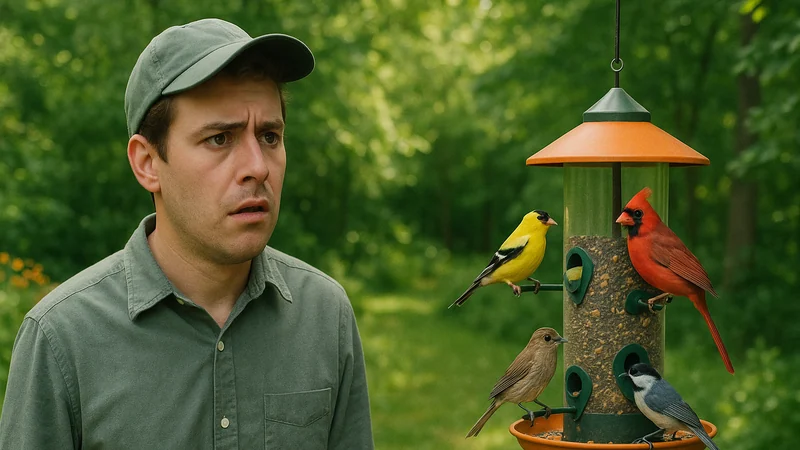
If your bird identifier is not working, the usual cause is a recording or photo that does not carry enough clean signal for a recognizer to work with. Audio ID misses when the microphone captures more environment than bird. Photo ID misses when the frame does not show diagnostic color, shape, or markings. No recognizer is perfect, but fixing the input resolves most mystery birds on the first try.
This guide is written for the moment you are actually in: standing on a trail, sitting on the porch, or reviewing a clip that refuses to match. Bird Call Identifier is available on the App Store for iPhone and offers sound, photo, and description inputs for exactly these situations, and the diagnostic habits below will make your best attempt land more often in any bird ID app.
The mistake behind the problem
The most common reason a bird identifier feels broken is that the recording captures the environment more than the bird. A twenty-second clip of a distant warbler behind a leaf blower, a car on wet asphalt, and a chatty group on the trail contains a real bird, but the recognizer is being asked to pull a whisper out of a room full of loud strangers. The result is a shrug: no confident match, or a match that swaps in the loudest thing on tape.
Photo ID falls into a mirror version of the same trap. A tiny silhouette against bright sky, a bird half-hidden behind a branch, or a soft-focus blob at the top of a spruce does not give a photo recognizer the color, beak shape, or wing pattern it needs. The app is not refusing to answer. It genuinely cannot see the diagnostic features.
If a field companion beside you would say "I need to hear that again" or "I need a better look," the app will say the same thing, only more bluntly. A companion read on what a bird identifier should actually do in the field can help calibrate that expectation.
Why it seems convincing
The frustration is real because the moment feels obvious to you. You can hear the bird. You can see it moving. Your brain has already decided this is a knowable event, so when the app does not confirm it, the app feels like the weak link.
Two things quietly undermine that intuition:
- Your ears fill in gaps the microphone cannot. You hear the bird because you are locked onto its direction and pitch. A phone mic picks up everything in a 360-degree bubble with no focus.
- Your eyes track motion the camera flattens. You see a Cedar Waxwing because you watched it land, saw the crest tilt, caught the yellow band as it turned. A still frame keeps none of that.
A better way to test the situation
When an ID attempt fails, run a short diagnostic before trying again. This checklist takes under a minute and usually reveals which input to fix.
- Play the recording back with your phone at arm's length. If you struggle to hear the bird over the background, the recognizer will too.
- Count the clean phrases. A useful sound clip captures at least a couple of clear, uninterrupted vocalizations, not one syllable buried in wind.
- Zoom into the photo. If the bird occupies only a small portion of the frame, you are identifying pixels of sky, not a bird.
- Check for occlusion. A branch across the head or breast hides the exact markings a recognizer needs.
- Note time, season, and habitat. A May dawn chorus, a quiet November afternoon, a wetland edge, and an open lawn all shortlist very different species. Your own observation of the setting is a clue the app cannot see.
Once you have run the checklist, use the quick reference below to match what you are seeing to the likely cause and the next move.
| Symptom | Likely cause | Next action |
|---|---|---|
| Returns unknown on audio | Background noise louder than the bird | Step closer, face the bird, record a fresh clip |
| Wrong species on audio | Louder non-target sound on tape | Wait for a quieter pause and record again |
| No match on a photo | Small subject or occluded features | Wait for a perched, unobstructed frame |
| Different guesses each try | Clip too short or too noisy | Capture a longer, cleaner recording |
What a useful result looks like
Not every ID needs to be a single confident species name. A useful result is one that moves you forward, and it usually arrives in one of three shapes:
- One clear match. A single species that lines up with the habitat and season you are standing in.
- A working shortlist. Two or three plausible candidates you can narrow with your own eyes, the call pattern, or a field guide.
- Not enough to go on. A signal to change your input rather than to keep asking the same failed question.
Treat that last shape as information, not defeat. A recognizer that occasionally admits it does not know is more trustworthy than one that always names something. For a closer read, see where sound ID earns its keep in real backyard and trail conditions.
Where Bird Call Identifier helps
Picture a warbler singing in dense canopy at 6 a.m. You hear the phrase clearly but cannot see the bird, wind is moving the leaves, and a jogger has just passed on the path. You rarely get a clean specimen in the field. You get a clue, and Bird Call Identifier offers sound, photo, and description inputs so that clue has more than one path to a workable answer. Which input to try first depends on what you can capture in the moment: if you can hear the bird but not see it, start with a fresh sound clip using the exact re-recording move from the diagnostic checklist above.
Three ways in: sound, photo, description
- Sound first. Record the call or song on the spot with a short clip and let the app match the audio, which is often the most useful input when the bird is hidden.
- Photo when you have one. Snap or upload a shot when the bird holds still long enough for a usable frame.
- Description as a fallback. Note the details you remember, such as size, color, and behavior, when neither audio nor a clean photo was possible.
Results still depend on recording quality and lighting, and very distant birds or heavily obscured views will produce uncertain matches. What the multi-input approach gives you is more than one way to ask the same question, so a weak clip does not end the attempt.
Build a more reliable habit
Most people who feel like their bird identifier is not working are repeating the same recording habit. One small routine fixes that faster than switching apps. Before you tap record or press the shutter, pause for three seconds and run a quick self-check:
- Where is the bird?
- Where is the loudest competing noise?
- Where is my phone pointed?
If the bird is above you in a tree, tilt the phone up so the mic faces the sound. If a road or a fountain is behind you, step so it is not between you and the bird. If you are going for a photo, wait for the bird to clear the branch or turn its head before firing. These are small movements, but they change the file you hand the app, and the file is what the app answers from.
When a result disappoints, fix the input before you blame the tool. Move a few steps, aim the mic, wait for a cleaner phrase, and try once more. That small habit turns most "not working" moments into a workable answer and makes the next result easier to judge.