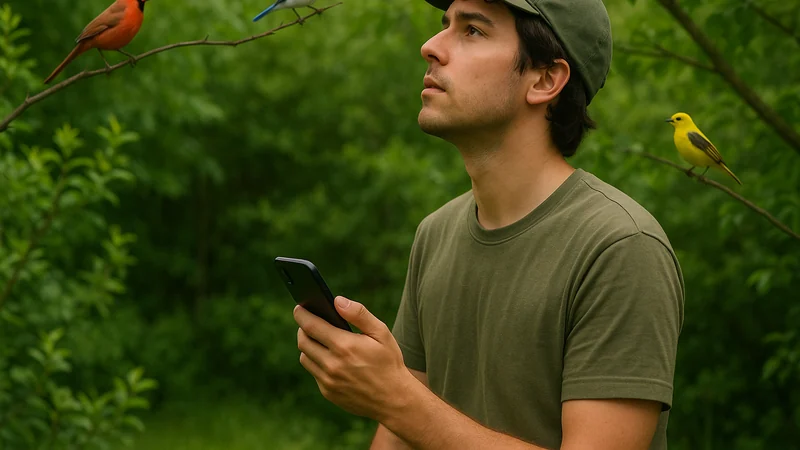
Choose the use case before the app
The biggest mistake with bird ID apps is treating them as one category. They are not. A free bird identifier on iPhone can mean at least four different things, and the right pick depends on which of these matches your actual outdoor moment. Bird Call Identifier, for context, is a free iPhone option that covers sound, photo, and description in a single app, which is why it appears throughout this piece as a concrete reference point.
Before you download anything, ask yourself which of these sounds like your typical situation:
- You hear the bird but can't see it. Dense canopy, dawn chorus, backyard hedge. You need sound recognition first, everything else second.
- You have a photo already. Maybe it's blurry, maybe it's a silhouette against a bright sky. You want the phone to read shape, color, and beak from an image.
- You saw it for one second. No sound, no picture, just a memory of size, color, and behavior. You need a description-based lookup or a browsable field guide.
- You want to keep a log. The identification is the start, not the end. You care about saving sightings, dates, and locations over time.
Most free identifiers try to cover all of these, but they weight them differently. Some are truly sound-first. Some are photo-first with sound bolted on. Some are essentially digital field guides with an ID feature tucked inside. Pick the app whose center of gravity matches yours, and the free tier will feel like a complete tool instead of a teaser.
What separates a useful option from a flashy one
Picture the moment: a warbler is singing eight feet above your head, and you have maybe fifteen seconds before it moves on. That is the test any free identifier has to pass. Ignore star ratings for a minute and look at these practical traits instead:
- Speed from tap to answer. If getting to a recording screen takes more than a couple of taps, you'll miss the bird. Songs stop. Warblers move on.
- How the app handles uncertainty. A good identifier tells you when it is not sure, or offers a short list of likely species. An app that always gives a single confident answer is more comforting than accurate.
- The field guide behind the match. After the ID, can you actually read about the bird? See a photo? Compare to a similar species? A bare species name is not enough to learn from.
- How the free tier is structured. Some apps are free to install but ask you to subscribe after a few uses. Check the current App Store description carefully before committing.
- iPhone feel in daily use. Does it respect iOS gestures, dark mode, and share sheets? Small friction adds up on a hike.
- What happens to your recordings and sightings. Some apps upload everything to a scientific database. Others keep it local. Neither is wrong, but you should know which one you're using.
Notice what isn't on that list: number of species claimed, marketing language about neural networks, or how many countries the app supports. Those numbers rarely change your Tuesday morning experience on a suburban trail.
A short buyer's comparison
The free bird identifier category on iPhone breaks down into a handful of recognizable shapes. We have not independently benchmarked accuracy across these app types, so the table below compares workflow shapes and typical trade-offs rather than tested performance.
| Type of app | Best for | Trade-off to know | Typical free-tier behavior |
|---|---|---|---|
| Sound-first identifier | Hearing a bird but not seeing it; dense foliage; dawn chorus | Struggles with wind, traffic, and overlapping songs | Often free to record and identify; some prompt for accounts |
| Photo-first identifier | You already snapped a shot or can get close enough | Blurry or backlit images can confuse the match | Free identifications are frequently capped or watermarked |
| Description-based lookup | You saw the bird briefly and remember size, color, and behavior | Depends heavily on how well you describe what you saw | Usually bundled inside a broader free app |
| Digital field guide with ID | Learning the birds of a region over time, not just naming one | Identification is a secondary feature and can feel slower | Free browsing, paid regional packs are common |
| Journal-first birding app | Keeping detailed lists, contributing to citizen science | ID tools are often minimal or tied to a separate app | Free with an account; ID may live in a companion app |
A sound-first tool is close to useless when you have a clear photo of a hawk in a field, and a photo-first tool is unhelpful when the bird is hidden fifty feet up in a pine. Many birders end up carrying two: one for the moment, one for the record.
For a closer look at how sound-first apps stack up on iPhone, that companion piece walks through the differences without hype.
Where Bird Call Identifier earns its place
Picture a dawn walk in your own backyard. A song starts overhead, you don't recognize it, and you have one shot before it stops. That is the scene Bird Call Identifier is built for: open the app, hit record, and let it match the sound.
According to its App Store listing, it identifies birds by call, song, photo, or description, records bird sounds, and lets you save sightings. That combination is what makes it a useful direct answer for the platform-plus-price query: a free iPhone identifier that covers the four encounter types most casual birders actually run into.
In practice, three things stand out when you use it in the field. First, one app handles the sound in the trees, the photo you already took, and the vague memory of a bird you saw for a second, so you are not switching tools when the situation changes. Second, it feels native on iPhone in our use: the record flow, the share sheet, and the saved sightings list behave the way iOS users expect, without the small frictions that come with cross-platform ports. Third, every match sits in front of a species entry you can actually read, which is what turns a name into learning.
Where should you set your expectations? No free bird identifier will get every call right, especially in noisy conditions or with unfamiliar regional dialects of common songs. Wind, traffic, water, and overlapping birds all make a recording harder to match. Treat any single answer as a strong hint, not a verdict, and use the field guide entry to sanity check it against what you saw or heard. If you care about the reasoning behind the app, the founder's note on why this iPhone identifier exists is worth a read.
Who should skip this category
Free bird identifier apps are not for everyone. You should probably skip the category, or at least deprioritize it, in a few situations.
- You are a serious ear-birder already. If you can name most local songs by ear, an app will slow you down more than it helps. A paper field guide and a good pair of binoculars will do more for you.
- You need scientific-grade documentation. Formal rare-bird submissions usually require audio files and detailed notes on a dedicated platform, and a general-purpose ID app is a starting point rather than a substitute.
- You bird primarily in regions with sparser coverage. In our experience, coverage tends to be deepest in North America and Europe, so verify any single suggestion against a local field guide when you are birding elsewhere.
- You want a life list first, ID second. If your main need is tracking a growing list across years, start with a journaling app and add an ID tool later, rather than the other way around.
A sensible way to decide
Here is a short decision path that will settle the question faster than reading another comparison article. Answer these in order:
- What is the bird doing in your typical encounter? Singing hidden in a tree, sitting still on a feeder, or flying over? Sound-first, photo-first, or description-first each map to one of those.
- Do you want one app or two? If one, pick the app that handles your primary encounter well and accepts the other inputs as backup. If two, pair a strong sound-first identifier with a solid field guide or journaling app.
- How much friction will you tolerate? A free tier with occasional prompts is fine for weekend birders. Daily birders often decide a paid upgrade is worth it after a few weeks, but that is a later decision, not a first one.
- What is your commitment to learning? If you want the app to also teach you, weight the quality of the field guide more heavily than raw ID speed. If you just want a name and to keep walking, weight speed.
The useful test is a week of real encounters: use sound when you hear a bird, a photo when you see one, and check whether the saved record helps you learn. The best free option is the one you will keep using when the moment arrives.