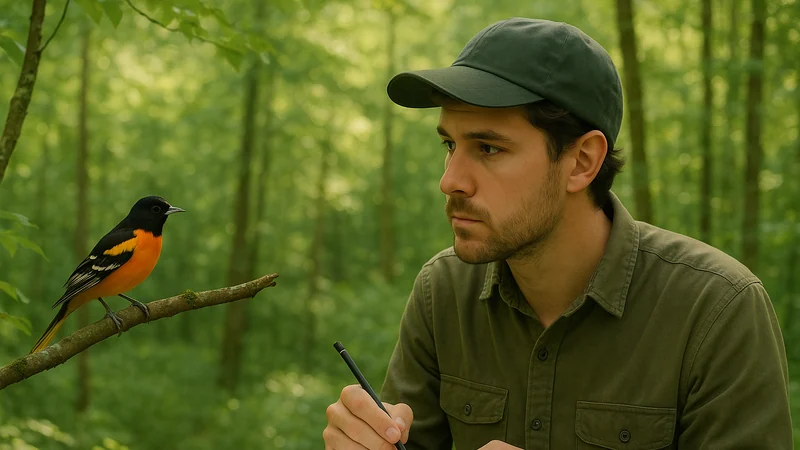
What readers are really trying to change
Most people don't wake up wanting to abandon Merlin. They open the App Store after a specific bad moment in the field. Some birders describe a phone that seemed to stall as a warbler sang once and vanished. Others mention a pack download that ate the last of their storage on a trip, a photo ID that felt slow when the bird was already gone, or a home screen that felt busier than they wanted. None of those are proven product defects, but they are the frustrations that push someone to look for a Merlin Bird ID alternative in the first place.
Before you shop for a replacement, it helps to name the friction. A birder frustrated by storage isn't looking for the same tool as a birder frustrated by interface clutter, and neither wants what a lister who misses eBird syncing wants.
A few switching scenarios that come up again and again:
- The backyard listener. You mostly want to know who is singing outside the kitchen window. You do not travel much, do not need life lists, and want to open the app, tap once, and get a name.
- The trail walker. You are on the move. You want quick photo capture when a bird lands on a branch and a quick sound check when one calls from the canopy. You do not want to fiddle with settings mid-hike.
- The lister and reporter. You want your sightings tied to a broader citizen-science record, with counts, locations, and a shareable history.
- The storage-conscious traveler. Your iPhone is already full. You want an app that behaves itself and does not push you to keep a large regional download on the device.
Once you know which of these you are, the alternatives sort themselves out quickly.
Alternatives for different priorities
There is no single Merlin replacement. There are directions you can take, each with a clear trade-off.
Sound-first, lightweight iPhone apps
If the sound listener is the feature you actually use, a focused bird-call app is often the simplest switch. Bird Call Identifier fits this niche on iPhone: record a clip, get a species suggestion, note the sighting, move on. There is less to learn and less on screen when you are outside with cold hands. The trade-off is scope. A sound-first app is not going to be your regional life list, your rare-bird alert system, or your global travel companion. If you want those, you want a different kind of tool.
For a closer look at how a sound-focused workflow holds up in the same moments Merlin is famous for, see how sound identification earns its keep in the field, with concrete listening situations rather than feature lists.
Community-driven identification
Apps and communities built around uploaded photos and observations rely on human eyes. You share a shot or a description, and experienced birders help you narrow it down. The trade-off is speed: a Facebook group or forum thread might resolve a tricky sparrow more quickly than any model, but not while you are still on the trail.
Field guide apps
Some readers switch away from Merlin not for a smarter identifier, but for a good digital field guide: range maps, plumage variations, and seasonal notes to browse in the evening. These are reference tools, not identifiers. Expect to do the ID work yourself with your ears, eyes, and binoculars, and use the app to confirm.
Camera plus later search
The quiet alternative nobody markets: take a clear photo, note the habitat, and search when you get home. Slow, note-dependent, and surprisingly reliable for common species.
The trade-offs behind each route
Scan the table below for the shape of each route, not a scoreboard. Accuracy across these apps has not been independently benchmarked here, so the comparison focuses on workflow, inputs, and what you give up.
| Route | Best for | Main strength | What you give up |
|---|---|---|---|
| Sound-first app (Bird Call Identifier) | Backyard listeners, casual walkers on iPhone | Sound-first recording as the primary screen, minimal on-screen clutter | Not built to replace a full life-list ecosystem |
| Community identification | Tricky birds, patient learners | Human judgment on hard cases | Not real-time; depends on posting quality |
| Digital field guide | Studying at home, confirming your own ID | Deep reference material | Does not identify anything for you |
| Camera plus later search | Occasional birders, minimalists | Nothing to install | Manual, slow, no sound help |
None of these routes is objectively better than Merlin. They are different shapes. A birder who chooses a sound-first app is not saying the bigger apps are wrong; they are saying they want less software between them and the bird.
When Bird Call Identifier is the simpler option
Bird Call Identifier is worth trying if you are considering a switch for any of the following reasons:
- You primarily identify birds by ear and want the recording flow to be the first thing you see.
- You want an iPhone-first app where the record-to-species flow sits front and center, rather than being nested behind other tools.
- You are comfortable using a photo or a written description as a backup input, without a complex tab structure to navigate.
- You want a lightweight way to note what you heard and keep learning the birds around you, without committing to a full citizen-science workflow.
It is also fair to say where it is not the right pick. If your birding revolves around structured checklists, hotspot data, and a global life list synced across devices, a sound-first app is a supporting tool, not a replacement for that ecosystem.
A separate, honest caveat on accuracy: real-world identification depends on the recording, the species, the background noise, and the moment. No app, this one included, gets every call right, and treating any single suggestion as certain is how misidentifications end up in notebooks. That is why the record-to-species flow matters more than a marketing score: it should be quick enough that you can try a clip again from a slightly better angle without losing the bird.
If you are new to recording birds on a phone, review how to capture a clean clip on iPhone before judging any sound app on its results.
A realistic switching checklist
Switching apps sounds trivial until you are three days in and realize you have lost track of a bird you meant to look up. A short checklist keeps the transition calm.
- Write down what you actually use. Sound ID, photo ID, packs, life list, alerts. If a feature has not been touched in a month, it is not part of your workflow.
- Export or screenshot anything you want to keep. If your current app holds sightings that matter to you, save them in a form you can read outside the app: a screenshot, a note, or a shared list.
- Install the alternative before you need it. Do not set up a new bird app at the trailhead with one bar of signal. Install Bird Call Identifier at home, allow microphone access when prompted, and record a short test clip from your window so the record-to-species flow is familiar before it matters.
- Do one week of parallel use. Keep the old app on your phone. Run both on the same walk. Notice which one you actually reach for when a bird calls.
- Decide by behavior, not by feature list. The app you open without thinking is the one that fits you. If you keep bypassing the newer app, that is data, not failure.
- Only then remove the old app. Give yourself permission to keep both if that is what your birding actually looks like. Nothing forces a clean break.
This kind of parallel test also protects you from a common mistake: judging a new app on its first hard identification. Every bird app has a bad first call. The question is how it feels across a normal week.
Decide without starting over
Once you have completed a week of side-by-side listening, the choice usually becomes clear. You do not need a permanent Merlin replacement today. You need the next app you will try on your next walk, with a clear reason for trying it and a clear way to tell if it is working.
If your reason is that you want a lighter, sound-first tool on iPhone that gets out of your way when a bird sings, Bird Call Identifier is a reasonable next step. Install it, keep your old app in place for a week, and let your own behavior decide.
Try the workflow during a normal week of birding, then keep the tool that lets you capture an unfamiliar call before the moment passes.