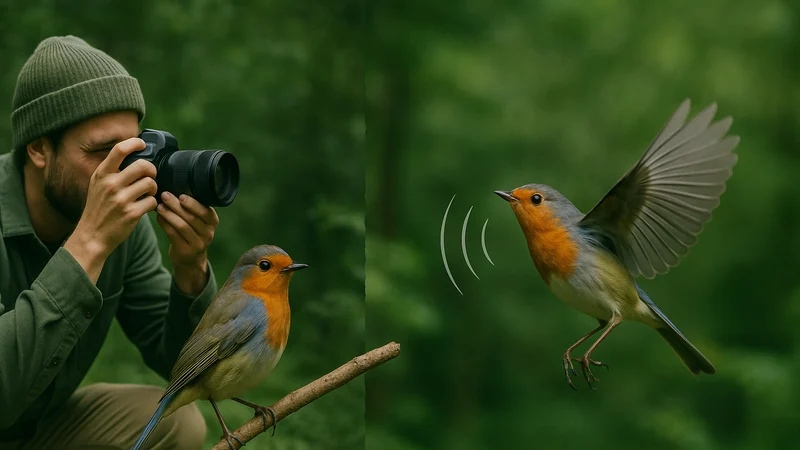
You spot a bird in a maple. It moves. It sings. You have a phone. Do you shoot a photo or hit record? Bird Call Identifier lets you identify a bird by picture, by call, or by short description, so you can match whatever clue the bird gives you without switching tools. The short answer: record when the bird is hidden or singing, photograph when it is perched and visible, and use both when you can. Because so many readers arrive asking how to identify a bird from a photo, this guide starts with the visual workflow and then honestly compares it to sound, giving you a decision table, a three step field routine, and clear limits for each method. Scope note: Bird Call Identifier is an iPhone app, so this guide assumes an iPhone in the field.
Quick verdict
The short version
If you want to identify birds from a photo, use photo ID when the bird is perched, close, and in decent light. Reach for sound when the bird is hidden, moving, or singing. We have not run an independent accuracy benchmark, so the guidance below compares verified workflows and input modes rather than scored performance.
- Bird singing but out of sight? Record the call.
- Bird perched in good light? Take a photo.
- Bird moving through branches? Record first, then try a photo if it settles.
- Bird silhouetted against bright sky? Record if it calls. Photos lose color detail in that light.
- Flock at a feeder? Photo. Multiple birds are hard to isolate by sound.
Side by side
Comparison table
A quick reference for situations you actually meet in the field. The entries describe workflow fit for each input mode, not an independent accuracy score.
| Situation | Photo workflow fit | Call workflow fit |
|---|---|---|
| Bird hidden in leaves | Poor visual access | Good, sound carries |
| Bird perched in open light | Strong fit | Depends on singing |
| Dawn chorus with many voices | Limited | Useful, expect overlap |
| Silent bird on a wire | Strong fit | Not applicable |
| Distant hawk in flight | Needs zoom and framing | Only if it calls |
| Backyard feeder visit | Strong fit | Feeder chatter blends |
| Owl at night | Very hard to frame | Good fit |
| Reeds and marsh edges | Birds usually hidden | Good fit |
Feature by feature
How each method actually behaves outside
Both methods rely on different clues. Understanding what each one leans on makes the choice obvious in the moment. If you want to see the underlying capture flow, browse how Bird Call Identifier works for a walkthrough.
Speed to a shortlist
Call ID can start working the moment a bird sings, even if you never see it. Photo ID needs you to raise the phone, frame, focus, and hold still. In dense woods, most first detections are auditory, which is why the recording workflow tends to feel quicker there.
Visibility and cover
Warblers hopping through oak canopy, wrens deep in brush, rails in reeds. These are birds you tend to hear far more than you see. A photo of a leaf with a beak sticking out rarely helps. A five second recording of a clear song usually does.
Light and color for photo ID
When you identify a bird by picture, the app leans on color, pattern, beak shape, and posture. Backlight, deep shade, and glare all strip that information. If a bird is a black shape against the sky, a photo may be inconclusive even when the bird is right there. Side light and a plain background give the cleanest results.
Noise and interference
Recordings pick up wind, traffic, running water, and other singers. Choose a moment when the target voice is the loudest thing near your phone. Cup your hand behind the microphone to reduce wind. Step off the trail if a stream is roaring nearby.
Behavior windows
Singing is seasonal and time of day dependent. Dawn is loud in spring. Midday in late summer is quiet. Photos work any time a bird is visible, so a still hawk on a fencepost at noon is a photo moment, not a sound moment.
Confidence in the result
General bird recognition, whether by sound or image, is pattern matching. It works best with clean input and common species. Rare visitors, juveniles, and hybrids are harder for any method. Treat a match as a strong lead, then confirm with range, habitat, and a second clue when you can.
Decision workflow
A three step field routine
Use this order the next time a bird catches your attention. It works in a garden, on a trail, and at a lookout, and it maps onto the record, look, and save flow inside the app. The core inputs shown in features line up with each step below.
- Listen first. Before you move, note whether the bird is calling or singing. If yes, start a recording. Sound often disappears the moment you raise a phone.
- Look second. If the bird is visible and steady, take a photo. Fill the frame if you can, and prioritize the head and back over the tail.
- Log the sighting. Whatever method landed the ID, save it with date, place, and habitat. That context makes future IDs easier and turns a lucky match into a real pattern.
A quick field checklist
- Wind at your back, not in the microphone.
- Phone steady, elbows tucked, breathe out before the shot.
- Short clips beat long clips when one bird is close.
- If two birds sing together, wait for a solo moment.
- Note habitat: canopy, understory, edge, water, open sky.
Which should you choose?
Match the method to the moment
Neither method is universally better. The right call depends on what the bird is doing and where you are standing.
Choose photo ID when
- The bird is perched in reasonable light.
- You already have a shot on your camera roll and want to identify the bird from that picture after the fact.
- You are at a feeder, pond edge, or open field.
- The bird is silent but very visible, like a raptor on a pole.
Choose call ID when
- You hear a bird you cannot see.
- You are in dense woods, marsh, or reed beds.
- You are birding at dawn during spring migration.
- You are trying to identify owls or nightjars after dark.
Use both when you can
Two clues are stronger than one. A recording plus a photo, even a rough photo, narrows a shortlist quickly. Habitat and range then confirm the answer.
Where Bird Call Identifier fits
One iPhone app for sound, photo, and description
Most birders carry a single device into the field. Bird Call Identifier is built so sound, photo, and short description inputs live together in one iPhone app, which means you can react to whatever the bird gives you without hunting for another tool.
What each input covers in the app
- Listen. Identify by call or song. Record the bird you hear, even if you never see it. Useful in dense cover, at dawn, and for owls after dark.
- Look. Identify by picture. Snap a fresh photo or use one from your camera roll. Helpful for perched birds, feeder visits, and raptors in flight.
- Describe. Type what you saw. Note color, size, and behavior when you had no chance to record or photograph.
- Save. Keep a running list. Store your sightings with date and place so the next similar bird is easier to recognize.
For a full overview of every input mode and the sightings log, head back to the Bird Call Identifier home page.
FAQ
Bird ID questions answered
Is photo ID or call ID more accurate?
Neither is universally more accurate, and we have not independently benchmarked either method. Photo ID tends to do well with clear, well lit birds. Call ID tends to do well with clean, uncrowded recordings. Real accuracy depends on the quality of the input, the species, and the habitat.
What should I do if the bird is too far or too fast to capture?
Wait. Most birds move or call within a minute. Note habitat, size, and behavior in the meantime so you have context if it steps into view or starts singing.
Can I identify a bird from a photo I already took?
Yes. Photo ID works with images from your camera roll, not only fresh shots. That is useful for trips where you took photos first and asked questions later.
Are noisy backyard recordings good enough?
Often yes, if the target bird is close and clearly audible. If wind, traffic, or another loud singer dominates the clip, try a shorter recording taken when the target voice is on top.
Which method should a beginner start with?
Call ID is often friendlier for beginners because birds are heard more than seen. Photo ID rewards patience and steady framing. Learning both makes you faster in the field.
Final recommendation
Carry both. Choose in the moment
If you only remember one rule, let it be this. Record what you hear. Photograph what you can see clearly. Log everything so the next bird is easier than the last.
Carry both methods into the field and choose the clue the bird gives you. A sound can survive a hidden bird, a photo can settle a visible one, and a saved note makes the next encounter easier.