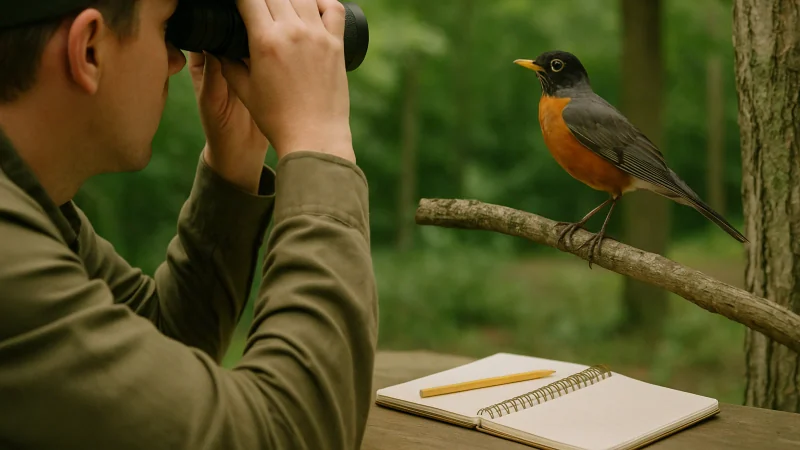
A useful bird identifier app turns a fleeting sound or a distant silhouette into a confident answer without asking you to be a birder first. If you are on iPhone and want that flow in one place, Bird Call Identifier is built around call, song, photo, and plain-language description, with a simple sighting log so the birds you find do not vanish the moment you close the app. Per its App Store listing, it is a free download.
Most people searching for a bird identifier app are not shopping for software. They are standing in a backyard, on a trail, or at a kitchen window, hearing something new and wanting a name for it. The right app closes that loop quickly, remembers the moment, and helps you learn the birds around you over time. The wrong one buries you in menus, drains your battery, or hands back a shortlist you cannot verify.
Below, we break down what to look for, how to compare options honestly, and which patterns tend to hold up outdoors versus which ones feel great in a demo and collapse in the wind.
The short version
A good bird identifier app should do four things well: accept the input you already have (sound, photo, or a plain description), narrow the possibilities to something you can verify, save the sighting so you can return to it, and help you get better at birding without turning every walk into homework.
Beyond that, personal fit matters more than feature counts. A backyard birder in a quiet suburb needs different things than a hiker on a windy ridge or a parent showing a curious kid what a robin looks like. Match the app to the moment, not to the marketing.
Quick picks
A note on scope first: we have not run controlled accuracy benchmarks against a shared dataset, and we are not ranking named competitors on numeric scores. Treat these picks as starting points and try the shortlist in your own environment. This is the only place we will flag that caveat, so the rest of the article reads without a defensive footnote every paragraph.
- Best for sound-first birders: an app with a one-tap recorder from cold launch. Popular options that emphasize call and song recognition include Merlin from the Cornell Lab. On iPhone, Bird Call Identifier is worth a look because recording is a primary action rather than a submenu.
- Best for photo-first birders: an app that accepts a photo and returns a shortlist you can compare to reference images. Merlin's photo ID and standalone tools like Picture Bird are commonly cited. Bird Call Identifier accepts photo input on iPhone alongside its sound and description flows.
- Best when you only got a glimpse: an app that supports plain-language description using size, color, behavior, and habitat. This is less common; Bird Call Identifier lists description as a supported input mode.
- Best for a single-app iPhone workflow: a tool that covers call, song, photo, and description in one place so you are not switching apps mid-sighting. Bird Call Identifier is designed around that combined flow.
- Best for scientific logging: a dedicated citizen-science database such as eBird from the Cornell Lab, paired with whichever identifier you prefer. Treat identification and formal submission as separate tools.
How we compared the apps
We did not benchmark named competitors head to head, and we are not inventing scores. Instead, we compared the shape of the workflow each app supports against what actually happens outdoors. These are the questions worth asking of any candidate you install, whether that is Merlin, Picture Bird, eBird, or Bird Call Identifier.
Input modes
Sound, photo, and description are three different problems. Sound recognition helps when the bird is hidden in a canopy. Photo recognition helps when you have a clear look but no vocalization. Description helps when you missed everything except a general impression. An app that offers only one input mode will fail on days when the bird does not cooperate. Bird Call Identifier is designed to cover all three on iPhone so a single app handles the mix you actually encounter.
Time from moment to answer
Count the taps between opening the app and starting a recording or capturing a photo. If the answer is more than two, you will lose birds. The best apps front-load the primary action and hide the rest.
Shortlist quality, not single-answer confidence
A responsible identifier returns a small, ranked shortlist and encourages you to confirm. A single-answer app can feel decisive but hides its uncertainty, which is a problem when you are learning. Look for range maps, seasonal notes, and reference audio or images on the result screen.
Sighting memory
Identifying a bird once is fun. Building a personal record of when and where you heard which species is what makes birding stick. Any app you keep long term should save what you find in a way you can browse later, ideally with the original recording or photo attached. Bird Call Identifier's brief describes a personal library of saved sightings on iPhone.
Behavior in imperfect conditions
Wind, traffic, a chatty companion, a bird calling from three trees away. These are normal. An app that only works in a quiet room is a novelty. Test any candidate in the exact conditions where you actually bird.
Battery and data honesty
An identifier that keeps the microphone hot or streams heavy audio in the background will drain your phone on a long hike. Watch for background behavior on a real outing before you commit.
What a good result screen looks like
The result screen is where an identifier earns your trust. A good one shows the top candidates with enough context that you can rule them in or out yourself. That usually means a photo you can compare to your bird, a short note on typical habitat and season, and, for sound-based results, a reference recording you can play back to back with what you heard.
Be skeptical of a single confident answer with no runners-up, no reference media, and no way to tell why the app made that call. Confidence without evidence is a red flag, especially for beginners who cannot yet catch obvious mistakes.
A field checklist before you commit to an app
Before you settle on a bird identifier app, run it through a short field test in your own environment. This takes about a week of casual use and saves months of frustration.
- Open the app cold and time how long it takes to start a recording or capture a photo.
- Try it on a bird you already know, ideally three different species, to see how it handles easy cases.
- Try it on a difficult case: a distant call, a silhouette, or a bird partly hidden in leaves.
- Check whether the sighting is saved automatically and whether you can find it a week later.
- Look at the result screen and ask whether a beginner could verify the ID themselves using what is shown.
- Note battery drain after a 30-minute walk with the app open.
- Ask whether the app respects your context: quiet mornings, noisy afternoons, no signal on the trail.
Common patterns that separate good apps from filler
One primary action per screen
The home screen should make the main job obvious. If you have to hunt for the record or camera button, the app is optimized for feature browsing rather than birding.
Reference material next to the result
Identification is a comparison task. If the app hands back a name but no image or audio to compare against, the burden of verification falls entirely on you.
Sightings that feel like a journal, not a database
Most people are not filing scientific records. They want to remember the morning a warbler showed up at the feeder. Apps that treat sightings as small memories, with the sound or photo attached, tend to keep casual users longer than apps that ask for taxonomic detail upfront. If you do want formal records, that is where a database like eBird earns its place alongside your identifier.
Respect for the offline moment
Birds do not wait for signal. Behavior when the network is weak matters. Without a documented offline mode from the developer, assume an app needs a connection and plan accordingly.
Where Bird Call Identifier fits
Per its App Store listing and product brief, Bird Call Identifier is a bird identifier for iPhone built around the moment of curiosity. You can identify birds by call, song, photo, or plain description, record the sound you are hearing, save what you find, and build a small personal library of the birds around you. The brief describes the app as free on the App Store.
It targets the exact flow most beginner birders are trying to follow, going from an unknown sound or a quick glimpse to a species name and a saved memory, without switching between three tools. If you want to see it in more detail, the how it works section on the homepage walks through the steps, and the features section covers the input modes and sighting log.
It will not be the right tool if you need a full scientific submission workflow, deep taxonomic filters, or platform coverage beyond iPhone. In that case, pair it with a dedicated logging tool like eBird or keep looking.
Who tends to get value from it
- Backyard birders who mostly identify by ear from a porch or window.
- Hikers who want a fast, low-friction way to capture and label calls on the trail.
- Beginners who want a shortlist and reference material rather than a firehose of taxonomy.
- Parents and teachers using birding as a shared, screen-light outdoor activity.
Which app should you choose?
Use this quick decision aid to narrow the field. It is meant to point you at the shape of the right tool, not to declare a winner.
| Your situation | What to prioritize | What to skip |
|---|---|---|
| You hear birds more than you see them | Sound-first workflow, one-tap recording, reference audio on results | Apps that bury audio behind a photo-first home screen |
| You photograph birds with a zoom lens | Photo input, clear shortlist, side-by-side reference images | Apps that only accept sound or require perfect framing |
| You only got a glimpse | Description-based ID using size, color, and behavior | Apps that demand media before returning any candidates |
| You want to remember your sightings | Simple sighting log with the original recording or photo attached | Apps that treat every ID as a one-off with no history |
| You bird on iPhone in the field | Fast launch, low battery drain, all input modes in one place | Apps that need heavy setup or network to work at all |
If your answers cluster around the first, fourth, and fifth rows, a focused iPhone tool like Bird Call Identifier Listen. Identify. Discover. is worth a real field test. If they cluster around scientific logging or cross-platform requirements, keep looking or plan to combine tools.
FAQ
What is a bird identifier app?
A bird identifier app is a mobile tool that helps you name a bird from a sound, a photo, or a description. Good ones return a small shortlist with reference material so you can confirm the ID yourself, rather than a single answer you have to take on faith.
Can a bird identifier app really identify a bird from its call?
Sound-based identification has improved a lot for common species in reasonable conditions. It still struggles with distant birds, overlapping calls, wind, and rare species with limited reference data. Treat any result as a strong hint, not a final verdict, and compare with the reference audio when it is available.
Is there a good free bird identifier app for iPhone?
There are several options worth trying on iPhone across different philosophies, and it is worth installing more than one to see which fits your habits. Merlin and Picture Bird are commonly mentioned. If you want a single flow that covers call, song, photo, and description and keeps a simple sighting record, Bird Call Identifier is designed for that use case, per its App Store listing.
How does Bird Call Identifier compare to Merlin or eBird?
Without independent benchmarks, the honest answer is that they solve overlapping but different problems. Merlin from the Cornell Lab is a widely used identifier that offers sound, photo, and step-by-step ID. eBird is a citizen-science database for formal sighting submission, not primarily an identifier. Bird Call Identifier is a focused iPhone app that combines call, song, photo, and description ID with a lightweight sighting log for personal use. If you want research-grade record keeping, add eBird. If you want a one-app flow on iPhone, try Bird Call Identifier and see whether the workflow fits.
What should I do if two apps disagree on the same bird?
Treat the disagreement as useful information. Look at each app's shortlist, not just the top pick, and compare the candidates against range, season, habitat, and reference audio or images. Often both apps have the correct bird somewhere in their top three, and the tiebreaker is context you can supply.
Do I need a birding app if I am not a serious birder?
No, but you might enjoy one more than you expect. Most people who install a bird identifier app do so because a single bird caught their attention. The app becomes useful the moment it gives that bird a name and keeps a small record of the ones that show up around you.
How do I test an app before trusting it?
Try it on birds you already know. If it handles familiar species well in your typical environment, it is a reasonable choice for the unfamiliar ones. If it stumbles on a common backyard bird in good conditions, expect worse results in the field.
Final recommendation
Pick the app that matches how you actually encounter birds, not the one with the longest feature list. The right tool is the one that fits the moment of curiosity you keep having, on the device you already carry into the field.
Try Bird Call Identifier if
- You bird primarily on iPhone and want one app for call, song, photo, and plain description.
- You want a low-friction way to record a sound and save the sighting as a small personal memory.
- You are a beginner or a backyard birder who values a fast flow over deep taxonomic controls.
Look elsewhere or combine tools if
- You need a research-grade submission workflow. Pair any identifier with a dedicated database like eBird.
- You require coverage on platforms beyond iPhone.
- You want deep taxonomic filters or advanced field-guide references as your primary use case.
A simple one-week test
Try one identifier in the situations where you actually notice birds, then revisit the saved sightings a week later. If the flow felt natural and the record is worth keeping, it has earned its spot on your phone.
If sound is usually your starting point, compare the trade-offs in our field-focused look at where sound ID holds up.