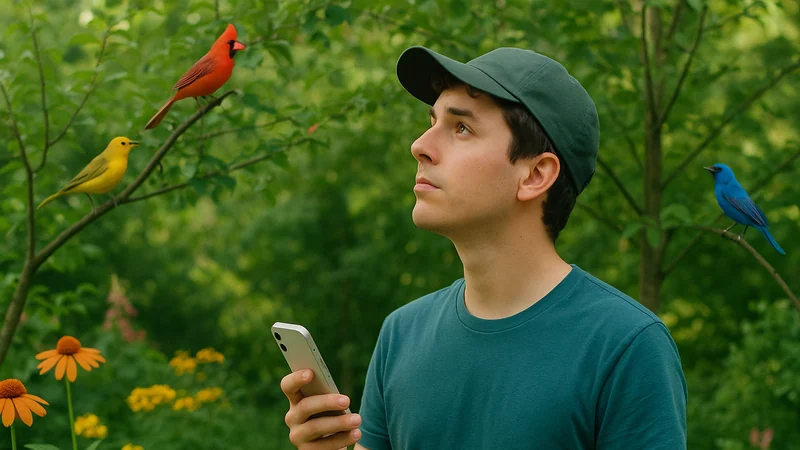
The fastest way to identify a bird by sound on an iPhone is to record a short, clean clip of the call with a listening app, then confirm the match against the bird's habitat, size, and behavior before you save it. That sequence works in a backyard or on a trail, and it does not require leaving a live microphone open for hours, which is what actually flattens your battery in the field.
Field decision
The first decision to make
Decide first which of three situations you are in: standing still with a bird repeating a phrase, moving on a trail and catching snippets between footsteps, or trying to log the whole dawn chorus. Each situation calls for a different listening mode, and the third is where iPhones get hot and batteries drop fast.
Most people conflate these three modes and leave an app in constant-listen mode all morning. That is the single biggest reason an iPhone gets warm on a walk. A microphone that stays on, a screen that keeps waking, and the processing each match triggers add up quickly. The fix is not a better app. It is choosing the right listening mode for the moment you are in.
Decision path
A simple decision path
Use this as a small mental flowchart in the field. It keeps you off the battery-hungry patterns and gets you to a species faster.
- Can you hear a clear, repeated phrase? Open your bird sound app, record a short clip of six to fifteen seconds, and stop. Confirm the match, save the sighting, lock the screen.
- Is the call short and only happening once every minute or two? Wait. Get the phone ready, thumb over the record button, and capture the next occurrence rather than leaving the mic open the whole time.
- Are several birds calling over each other? Move a few steps toward the loudest voice, angle the phone so the microphone points at the source, and record a shorter clip. A cleaner recording of one bird beats a long recording of five.
- Is the bird distant or barely audible? Do not chase it with your microphone. iPhone microphones are largely omnidirectional and will pick up more wind and footfall than a faint song. Log it as "heard, unconfirmed" and move on.
- Is it near dark and you suspect an owl? Record in shorter bursts between hoots rather than a continuous stream. Owl calls are spaced, and the pauses are where your battery bleeds.
To make the trade-off easier to scan, here is how the common situations map to a recording approach.
| Situation | Recording approach |
|---|---|
| Clear, repeated song nearby | Single deliberate clip, 6 to 15 seconds |
| Sparse call every minute or two | Wait with the app ready, capture the next occurrence |
| Overlapping voices | Step toward the loudest bird, keep the clip short |
| Faint or distant call | Log as heard, do not run the mic to chase it |
| Dawn chorus or owl calls at night | Short bursts between phrases, screen locked between takes |
Every step nudges you toward a cleaner clip, and cleaner clips are what any sound identifier, including Bird Call Identifier, works best with.
Field conditions
Signals that change the answer
Field conditions shift what the right answer looks like. A few signals should make you adjust before you start recording.
- Wind above a soft breeze. Wind noise on an iPhone microphone can overwhelm a distant song. Cup one hand loosely over the bottom of the phone as a windbreak, angle the mic away from the gust, and keep recordings shorter so you are not saving mostly noise.
- Traffic, mowers, or HVAC hum. Low-frequency noise sits right where many bird songs live. Step behind a building, a hedge, or a rise in the ground before you record. Ten feet of distance from a hum source often does more than any post-processing trick.
- Cold weather. iPhone batteries lose usable capacity noticeably in cold weather. On a winter morning, keep the phone in an inside pocket between recordings, not clipped to a strap in the open air. This has nothing to do with the app and everything to do with lithium chemistry.
- Low signal areas. Deep woods, canyons, and wetlands often have poor cell reception. An app that has to reach a server for every identification will retry, and retries burn battery in our experience. Prefer a workflow that lets you record first, identify when convenient, and confirm sightings once you are back in range.
- Time of day. Dawn choruses reward short, well-timed recordings because everything is calling at once. Midday is quieter, so you can afford to wait longer between attempts. Do not treat every hour the same.
If a backyard routine is what you are actually building, our companion piece on turning a phone into a working backyard reference covers the everyday version of this habit.
Mistake clinic
A mistake worth avoiding
The most common mistake is leaving a listening app open in the foreground for an entire outing. It feels efficient, as if you might catch a rare bird you would otherwise miss. In practice it does three unhelpful things.
First, it fills your saved recordings with wind, footsteps, and conversation, which makes reviewing sightings later a chore. Second, it keeps the screen and microphone active far longer than needed, which is what warms the phone and drops the battery by the time you reach the interesting part of the trail. Third, it trains you to trust whatever the app suggests rather than confirming with a habitat and behavior check. That last one is the real cost, because a rushed match is how a warbler becomes a vireo in your notes.
The better habit is deliberate: hear the bird, decide it is worth recording, capture a short clip, confirm the match, and move on. If you never open the app during a walk, that is fine too. Not every sighting has to be logged.
Where it fits
Where Bird Call Identifier is genuinely useful
A bird sound app earns its place in your pocket for a narrow set of moments, and it is worth being honest about which ones. Bird Call Identifier is designed around this exact iPhone workflow: the record-and-identify flow fires at step one of the decision path, when you have a clear, repeated call and want a specific name to attach to it.
Reach for it when you want to record a sound in the moment and come back to identify it after the walk, so you are not staring at a screen while a bird is singing three feet away. It also earns its place when you want to save sightings over a season and see which species keep coming back to the same feeder, the same tree, the same corner of the park.
Sound recognition is less useful for distant, faint, or heavily overlapping calls, and no honest identifier should promise otherwise. It is a helpful narrowing tool, not an oracle. When the match feels uncertain, cross-check the bird's habitat and typical behavior before you commit it to your log.
Practice
Putting the method into practice
Here is a compact checklist you can run through the first few times you go out. After a week or two, it becomes automatic and you stop thinking about it.
- Charge to full the night before and start the outing with Low Power Mode off, so the microphone has headroom.
- Close background apps that stream audio or track location aggressively before you leave the car.
- Keep the phone in a warm inner pocket in cold weather, and out of direct sun in hot weather.
- Record in short, deliberate clips with Bird Call Identifier rather than one long stream. Six to fifteen seconds is usually enough to get a match on a clear call. The mechanical side is covered in our walkthrough on getting a usable field recording from the iPhone you already carry.
- Point the bottom of the phone toward the bird. On most iPhone models the primary microphone sits along the bottom edge, though some models add a rear array that helps too.
- Cup a loose windbreak with your free hand when there is any breeze.
- Confirm each identification against habitat and behavior before saving the sighting.
- Lock the screen between recordings. Do not leave the app in an always-listening state.
- If reception is poor, capture the clip and identify later. Do not fight the network in the field.
- Review your saved sightings at home, delete the noisy clips, and keep the good ones as your own reference over the season.
The reader who came here wanted to identify a bird by sound on an iPhone without watching the battery icon drop through the morning. The resolution is not a hidden setting. It is a habit: choose the listening mode that fits the moment, record short and clean, and confirm before you save. Do that, and the phone stays cool, the battery stretches through the walk, and the sightings you keep are the ones actually worth remembering.
On your next walk, record the next clear call you hear and let the app match it against habitat and behavior before you save the sighting.