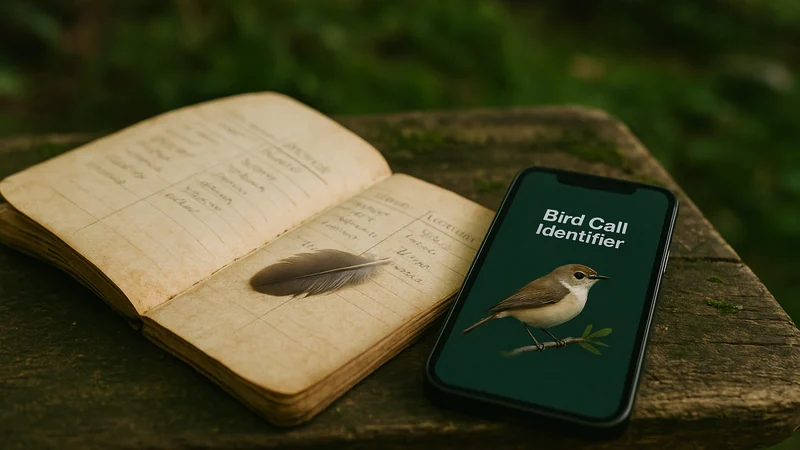
Two readers, two moments
Two situations, two different needs
Before you compare features, picture the actual instant you reach for your phone. Bird Call Identifier is the identifier side of this comparison, so the choice below is really about when an identifier belongs in your hand versus when a journal does.
Reader one is on the back deck with coffee. A small brown bird is working the feeder and making a rapid, buzzy call she has never heard before. She has about ten seconds before it flies. She does not need a beautiful timeline of her birding year. She needs a name.
Reader two is a weekend hiker back from a coastal marsh trip. He counted eleven species he actually recognized, took a few blurry photos of a shorebird he did not, and wants a place to log the day so that next spring he can remember which trail produced what. He is not trying to identify anything right now. He is trying to keep a record.
These are the two archetypes behind the search phrase "bird identifier vs birding journal." They look like the same question, but they are not. Reader one has an identification problem. Reader two has a memory problem. That distinction is the whole article.
Purpose over features
What each approach is built to do
The category names sound similar. The intent behind them is not.
Bird identifier apps: turn a clue into a species
A bird identifier app is a recognition tool. You feed it something imperfect, a sound, a photo, a written description, a fleeting glimpse, and it narrows the possibilities. The unit of work is a single mystery bird. Success is a name you did not have thirty seconds ago. Most identifier apps expect short interactions: open, capture, get a candidate, close.
Birding journals: keep a durable record of your birding life
A birding journal is a longitudinal notebook. The unit of work is not a bird, it is an outing. Journals are structured for date, location, weather, effort, species counts, and personal notes. Success is a record you can look at in five years and reconstruct what the morning felt like. Traditional journals are paper notebooks. Digital journals range from simple note apps to structured checklists tied to public databases.
Where the overlap actually lives
Modern identifier apps often let you save the birds you have identified, and some journals accept audio or photo attachments. That overlap is real, but it is shallow. An identifier app that saves sightings is still primarily a recognition tool with a memory drawer attached. A journal that accepts audio is still primarily a record book that happens to hold media. Knowing which side of that line a given app was designed for will save you a lot of frustration.
Feature by feature
Where comparisons become misleading
A shared feature name does not mean two apps do the same job. The comparison below is workflow-based; accuracy in this article was not independently benchmarked.
| Capability | Bird identifier app | Birding journal |
|---|---|---|
| Primary job | Answer "what bird is that?" | Record what you saw and when |
| Typical session length | Seconds to a minute | Minutes, often after the outing |
| Handles unknown birds well | Yes, that is the whole point | Only if the journal bundles identification or is paired with an ID tool |
| Handles known birds well | Sometimes, as a saved sighting | Yes, that is the whole point |
| Structured trip data | Rarely | Usually |
| Long-term life list | Sometimes, as a byproduct | Central feature |
| Best used | In the moment, one bird at a time | After a walk, one outing at a time |
The table intentionally leaves out accuracy scores and speed claims. Real-world recognition accuracy depends on the recording conditions, the species, background noise, and how much of the bird is visible, and no honest comparison of two apps holds up without a controlled test in your own habitat. That is why we describe candidates rather than declare winners. If you see an article ranking identifier apps by a single accuracy number, be skeptical.
The five-question test
A practical test before you choose
Answer these before you download anything. The choice usually reveals itself. If you get stuck on the first question, our guide to which details actually narrow a bird down when all you have is a memory is a useful primer.
- Do you know what the bird is? If no, you need an identifier first. A journal cannot help you log a species you cannot name.
- How often do you encounter unfamiliar birds? If most of the birds in your yard or on your route are still mysteries, identification is your bottleneck.
- Do you care about the outing or the individual bird? A birder who wants to remember the marsh at dawn on the third Saturday of April is journaling. A birder who wants to know what was making that trill is identifying.
- Will you actually sit down and enter trip data? Journals reward consistency. If you are unlikely to log a full checklist after every walk, a lightweight save-a-sighting flow inside an identifier app will get more real use.
- Do you want your records to feed citizen science? If yes, a structured checklist app tied to a public database is the right home for that data, not a general identifier.
If you answered "identify" to more of these, start with an identifier app and add a journal later. If you answered "record" to more of them, start with a journal and pair it with an identifier for the birds that stump you. Very few beginners actually need both on day one.
Where our app sits
How Bird Call Identifier fits the picture
Bird Call Identifier is available on iPhone and is designed for the "what was that?" moment, with a light memory layer for what comes next. It is built for reader one on the back deck: hear a call, record a short clip, get a candidate species, view a species photo and family notes, and move on. It is meant to handle three common clues a beginner has to work with:
- A sound, from a short recording of a call, song, or chirp
- A photo, when you can see the bird clearly enough to capture it
- A written description, when you can only remember shape, size, and color
It is not designed as a full birding journal. It is not built as a citizen-science checklist tool, and it will not produce a structured outing report with effort minutes and weather. What it is intended to do is let you save the birds you identify, which is the bridge that matters for most casual birders. If you look back after a season and see the species you actually recognized in your own yard, that record is often enough, and it took no extra work to create.
For readers who want deeper trip logging, pairing an identifier with a dedicated checklist app is a reasonable move, and reader two can still use Bird Call Identifier for the unknowns while journaling elsewhere. Two honest limits worth naming:
- Sound recognition works best on a clear clip with the target bird louder than the background. A distant call under traffic noise is hard for any app, ours included.
- A candidate species is a starting point, not a verdict. Cross-check it against the species photo and family notes the app shows you, especially for look-alikes.
For a longer read on what separates a useful identifier from a gimmick, our editor's take on the field jobs an identifier app has to get right covers the criteria we hold ourselves to.
Pick by situation
The better next step for each reader
The rule is simple. If the bird in front of you does not have a name yet, open an identifier. If the bird already has a name and you want the day it happened to still exist next spring, open a journal.
Reader one, the coffee-and-feeder birder, should install an identifier this weekend and use it the next time something unfamiliar shows up at the feeder. The save-a-sighting flow will quietly build a small backyard list without her having to think about it.
Ready to try it on the next mystery at your feeder?
Reader two, the weekend hiker, should start with a checklist-style journal for the outings themselves, then reach for Bird Call Identifier for the handful of birds each trip that he cannot name on sight. His bottleneck is memory, not recognition, so the journal carries the record and the identifier carries the unknowns.
The category you open first is not a lifestyle choice. It is a response to what you are actually holding in your hand: a mystery, or a memory.