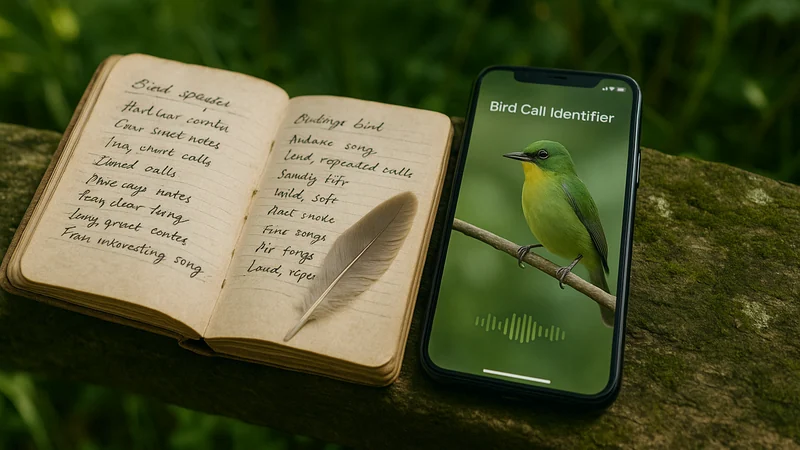
Birding apps that promise to work offline fall into two camps. Reference apps store species accounts, range maps, and sometimes recorded calls on your device so you can browse without a signal. Recognition apps, the ones that identify a call or a photo, rely on processing that may or may not run without a connection, depending on the product and the mode. This article compares those two approaches rather than ranking named competing products, so readers looking for a specific offline reference-app pick will know the scope up front. For an in-coverage identification moment on iPhone, a recognition-first tool like Bird Call Identifier is part of the answer, and the sections below explain when that fits and when a downloaded reference guide is the better anchor.
Two situations, two different needs
Picture the first reader. She is heading into a state forest for a long weekend of hiking. There is no cell service past the trailhead, she knows it, and she wants a bird reference she can trust for the whole trip. She is comfortable identifying birds herself from field marks and vocal descriptions. What she cannot tolerate is an app that quietly unloads its content the moment the signal drops.
Now picture the second reader. He is on his back porch in the suburbs. Wi-Fi is right there. He hears a bird call he does not recognize and wants a fast answer, not a taxonomy lecture. He pulls out his iPhone, records a few seconds, and expects the app to tell him what he just heard. For readers like him, a recognition-first iPhone tool is the practical shortcut.
These are two different jobs, and the phrase "offline" only really matters to the first reader. The second one is inside coverage the entire time. Confusing their needs is where most app comparisons go sideways, and where readers end up choosing a tool that never fit their situation to begin with.
What each approach is built to do
Reference-first apps
Reference-first apps behave like a digital field guide. Once installed, and often after downloading a species pack, they can display bird accounts, illustrations, range maps, and sometimes audio clips without a live connection. You still have to identify the bird yourself, either by matching what you see to plates or by listening for described vocalizations. The app is a book, not an oracle.
This is a great fit for remote trips, backcountry hiking, boat outings, canoe routes, or anywhere you already accept that connectivity will be unreliable. It rewards patience, note-taking, and observation skills that improve over seasons.
Recognition-first apps
Recognition-first apps turn a recording or a photo into a species suggestion. They may pull a match locally, from the cloud, or from a mix of both depending on how the product is built. That is the honest state of the category. Some support downloaded regional packs for sound identification; some do not. Some retain photo identification only when online. If offline recognition matters to you, verify the specific version and mode you plan to use before you leave home. Marketing copy on a website is not proof that a given feature runs without a signal.
This category is a great fit for backyard birders, city park walks, greenbelt strolls, and casual outings where a fast, confident suggestion beats reading through a description of "buzzy, ascending, complex phrase." It rewards curiosity more than it rewards study. Beginners who are new to birding at all can find a gentler on-ramp in a birding companion built for people who have never owned binoculars.
Where comparisons become misleading
Most articles about "the best offline birding app" quietly compare two categories as if they were the same product. They are not. A reference guide that works in airplane mode is not doing the same job as a recognition engine that has to interpret sound. Judging them side by side is a bit like comparing a paper dictionary to a translator. Both are useful; only one is trying to answer for you. A few honest points are worth keeping in mind before you compare feature lists:
- A downloaded species pack is not the same as offline recognition. The former lets you browse. The latter lets the app identify.
- "Works offline" often means "the app opens and shows content offline," not "the app can recognize a live sound offline." Read the feature description, not the tagline.
- Battery, storage, and update behavior vary widely. Downloading a full regional data set can take hundreds of megabytes and needs occasional refreshes to stay current. Some apps also gate regional packs behind a paid tier, so a "free download" is not always a free field kit.
- No identification app, online or offline, is perfect. Field conditions, background noise, distance from the singer, and overlapping songs all affect results. Treat any suggestion as a strong hypothesis, not a verdict.
- Reviews written in a suburban backyard will not tell you how an app behaves in a wet, dense forest with no signal. Trust your own five-minute test more than a star rating.
A practical test before you choose
Before you commit to any birding app for a specific trip, run a short check at home. It costs nothing and saves the frustration of finding out on a ridge that a feature you assumed was included is a premium extra or an online-only mode.
- Install the app and complete any first-run setup on Wi-Fi.
- Download the regional data pack, if the app offers one, and note how much storage it uses.
- Turn on airplane mode.
- Try each mode you plan to use in the field: browse a species, view a range map, play a call, record a sound, upload a photo, search by other clues the app supports.
- Note which modes still return useful results and which show an error or a spinner that never resolves.
Whatever passes this test is what actually works offline for you, on your phone, with your setup. Everything else is a claim on a landing page.
A quick side-by-side of the two approaches
Once you have run the test above, the table below shows which category tends to win in which situation. There is no independent benchmarking behind this comparison; it maps verified workflows and input modes to the reader situations that most commonly come up.
| Dimension | Reference-first app | Recognition-first app |
|---|---|---|
| Primary job | Look up a bird you already saw or heard | Identify a bird you cannot yet name |
| Skill assumed | You can match field marks and vocal descriptions | You have a recording, a photo, or other clues the app supports |
| Typical connectivity need | Low, after the initial download | Varies by app and mode; often benefits from a connection |
| Storage footprint | Higher, due to species data and audio libraries | Lower app footprint; saved recordings add up over time |
| Best fit | Backcountry hiking, remote travel, deep study | Backyards, parks, trails with coverage, quick suggestions |
| Failure mode | You still cannot ID a bird you do not know | Recognition may be blocked or reduced without a signal |
How Bird Call Identifier fits the picture
Bird Call Identifier is a recognition-first app available on iPhone. Its job is to take a clue you already have, whether a call in the trees, a photo you snapped, or other input the app supports, and return a species suggestion you can review and learn from. Think of a warbler singing from a suburban maple at 7 a.m.: you tap record for a few seconds, look at the suggestion, and decide whether it matches what you are seeing.
The features that matter for the offline question are the ones tied to that moment: sound recording, photo identification, and the ability to search by the clues you have. If your birding happens mostly where you have a workable connection, backyards, neighborhood parks, and trail loops close to town, this is the kind of tool that fits into the moment. You hear something. You record. You look. You learn the bird and keep walking.
If your birding regularly takes you into pure backcountry with no signal, pair a recognition app with a reference guide you have loaded in advance. The two are complementary, not competitors. Bird Call Identifier can handle the identification moments where a signal is available; a traditional field guide, digital or paper, gives you something to page through when it is not. Its own offline behavior should be verified with the practical test above, since this article does not claim independent benchmarking of it.
What it will not do: promise perfect accuracy, replace a naturalist's ear built up over years of practice, or guarantee identification of every noisy, distant, or overlapping call. No app can. Treat suggestions as strong leads, then confirm with a longer look, a second recording, or a check against the described voice.
The better next step for each reader
Return to the two readers from the opening. The right choice is not the same for both, and pretending it is has produced most of the confusion around this topic.
The backcountry hiker needs a reference-first setup she can trust when the signal dies. She should choose a field guide app with a downloadable species pack for her region, verify it survives airplane mode using the practical test above, and pack a small paper guide as a redundant backup. A recognition app is a nice extra for her, but it is not the anchor of her kit. If she is weighing which apps most people actually keep in their phone-based birding kit, a look at which apps earn a permanent spot in a phone-based birding kit is a useful next read.
The backyard birder does not have an offline problem. He has an identification problem, and he wants an answer in seconds. A recognition-first app on his iPhone is the direct solution. If that is you, and you would rather learn who is singing than memorize sonogram descriptions, Bird Call Identifier is built for exactly that moment.
The one decision rule that covers most people: choose based on where you will use the app most, not where you might use it once a year. If you spend the great majority of your birding time inside cell coverage, optimize for fast in-the-moment identification. If you spend most of it beyond service, optimize for offline reference and accept that live recognition will not always be there when you need it.
Match the tool to where you actually stand when a bird sings, and the offline debate stops being a debate at all.